
Personal brand platform
Hassan Munj
A personal brand website and content hub for an entrepreneur, with a private dashboard where a small team publishes posts, runs the newsletter and answers messages.
Platforms: Website, Admin Dashboard
Shopify exit-intent app
A Shopify exit-intent app that catches the back press, shows a coupon and store products, and ties each saved visit to the order that followed.
Rebound exit offer on a storefront
01 Overview
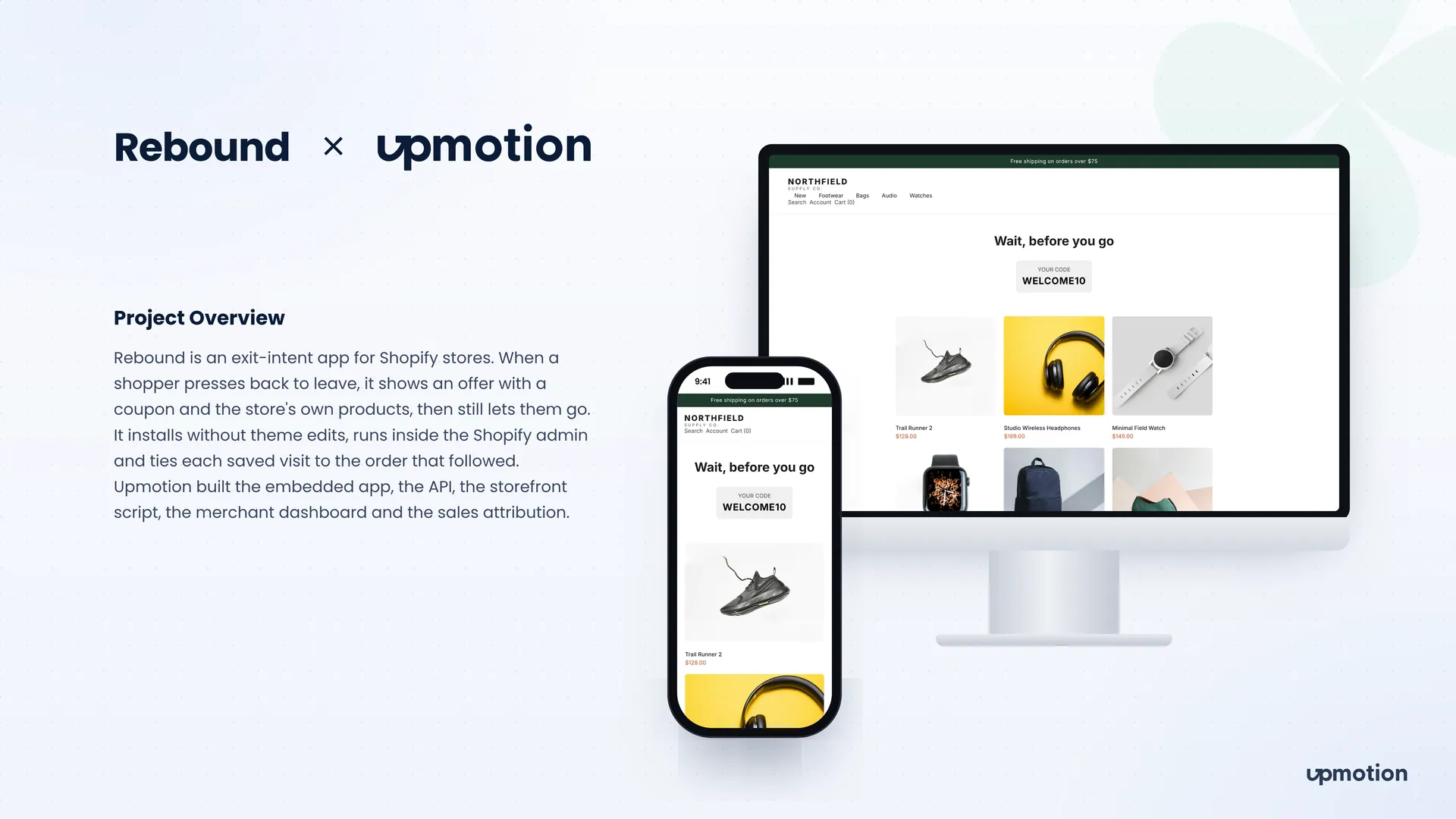
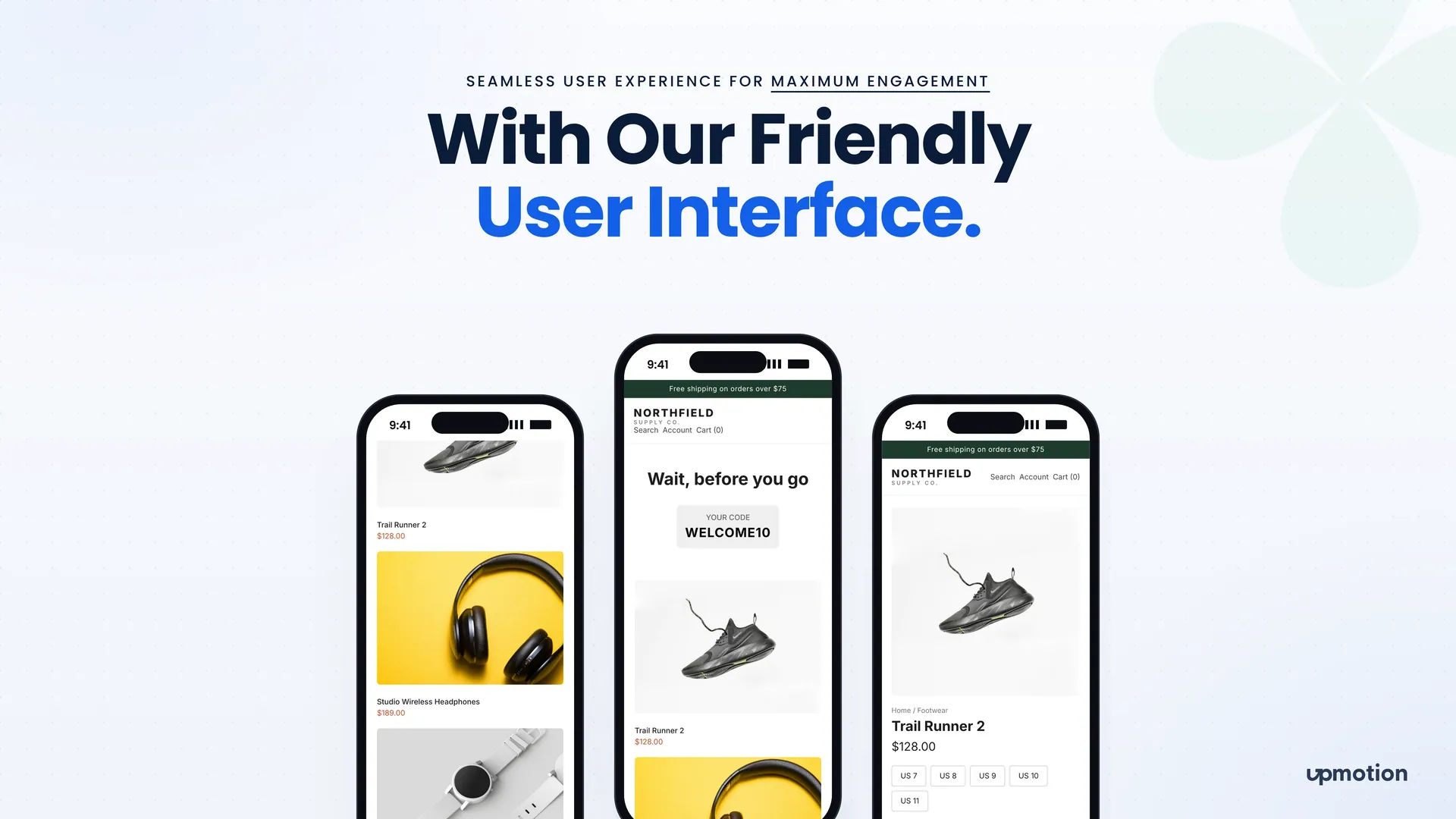
Rebound is a Shopify exit-intent app for store owners who lose shoppers after a single product page. When a visitor presses back to leave, Rebound shows an offer page with a coupon code and the store's own products, then still lets the shopper go if they want to.
On a phone, the back button is the real exit, and most popups miss it or get in the way of checkout. Merchants also want to know whether an offer actually led to a sale. We built the embedded Shopify app, the API, the storefront script, the merchant dashboard and the sales attribution that connects each overlay view to a real order.
02 The challenge
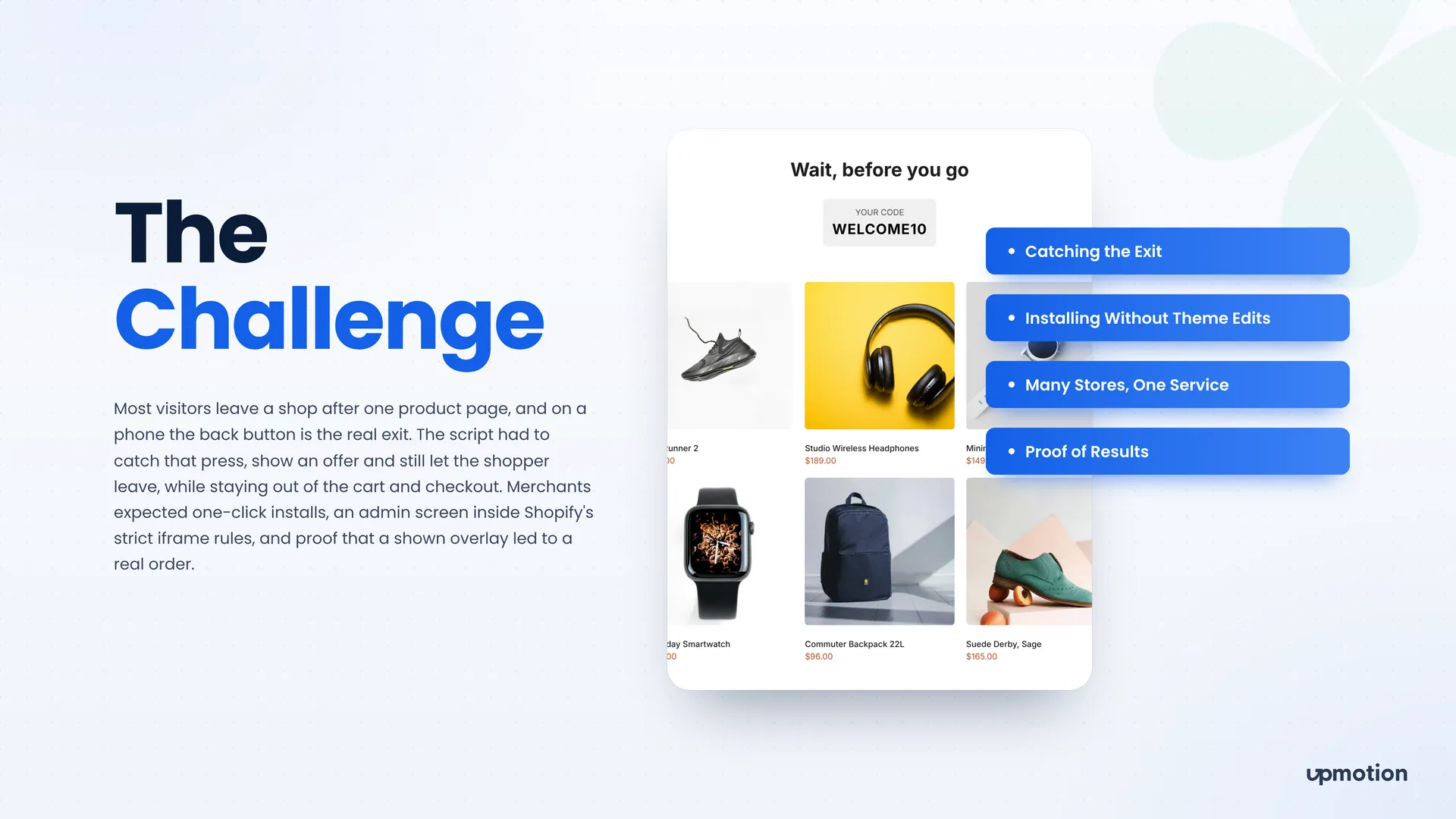
Most visitors leave a shop after one product page. Rebound had to catch that moment without breaking the store or annoying the shopper.
The script had to catch the back press on mobile, show an offer, and still let the shopper leave.
It had to stay out of the cart, checkout and thank-you pages so it never interfered with a purchase.
Merchants expected one-click installs with no manual theme edits.
The admin screen had to run inside Shopify's strict iframe rules, and one service had to support many stores.
Merchants needed proof that a shown overlay led to a real order, without any order being counted twice.
03 What we built
We built an embedded Shopify app, an API, a merchant dashboard and a single storefront script that work together across many stores.
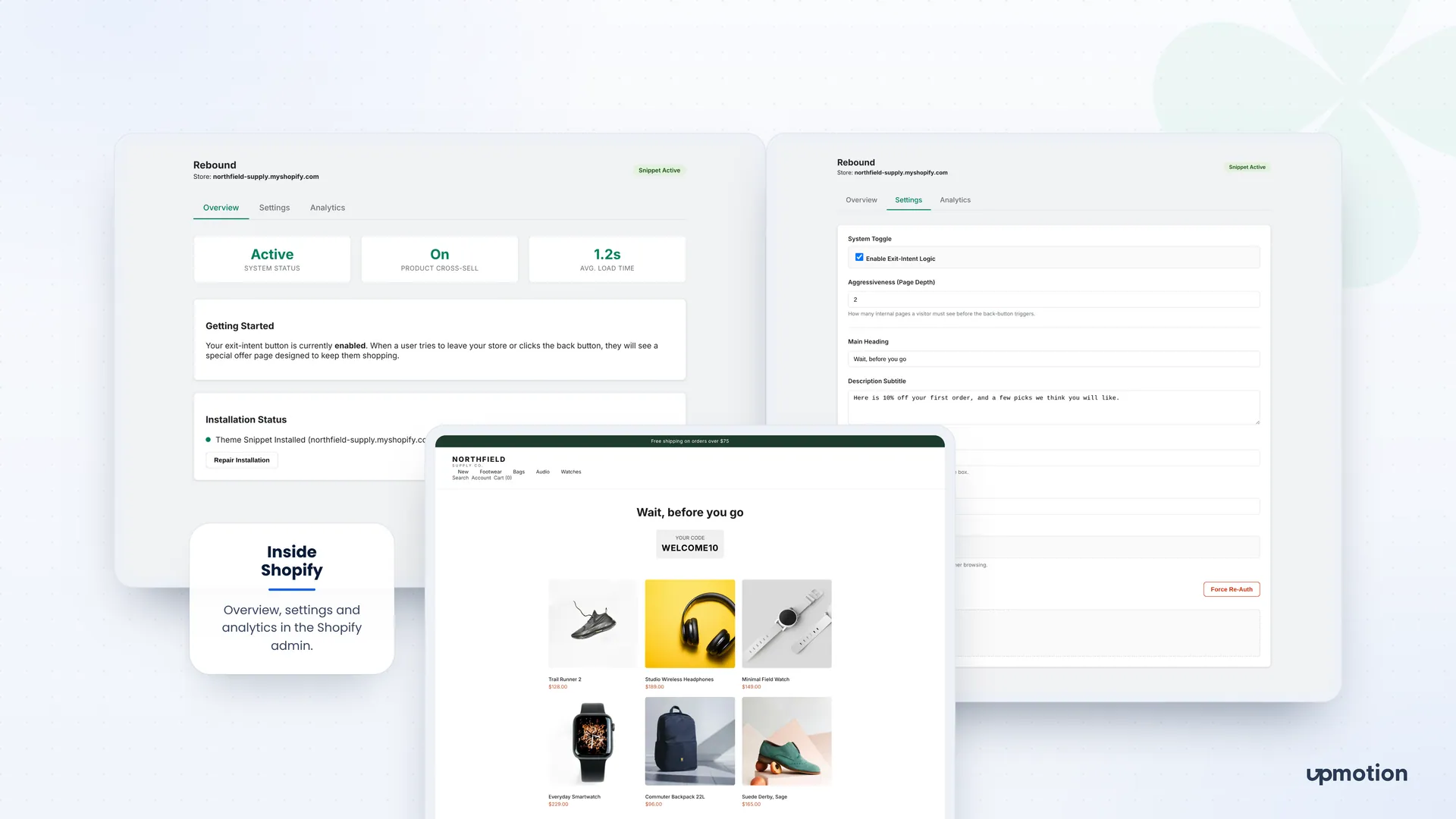
The storefront script arms after a set page depth, catches the first back press and shows a Wait, before you go page with a coupon and store products. Shoppers who still want to leave can go.
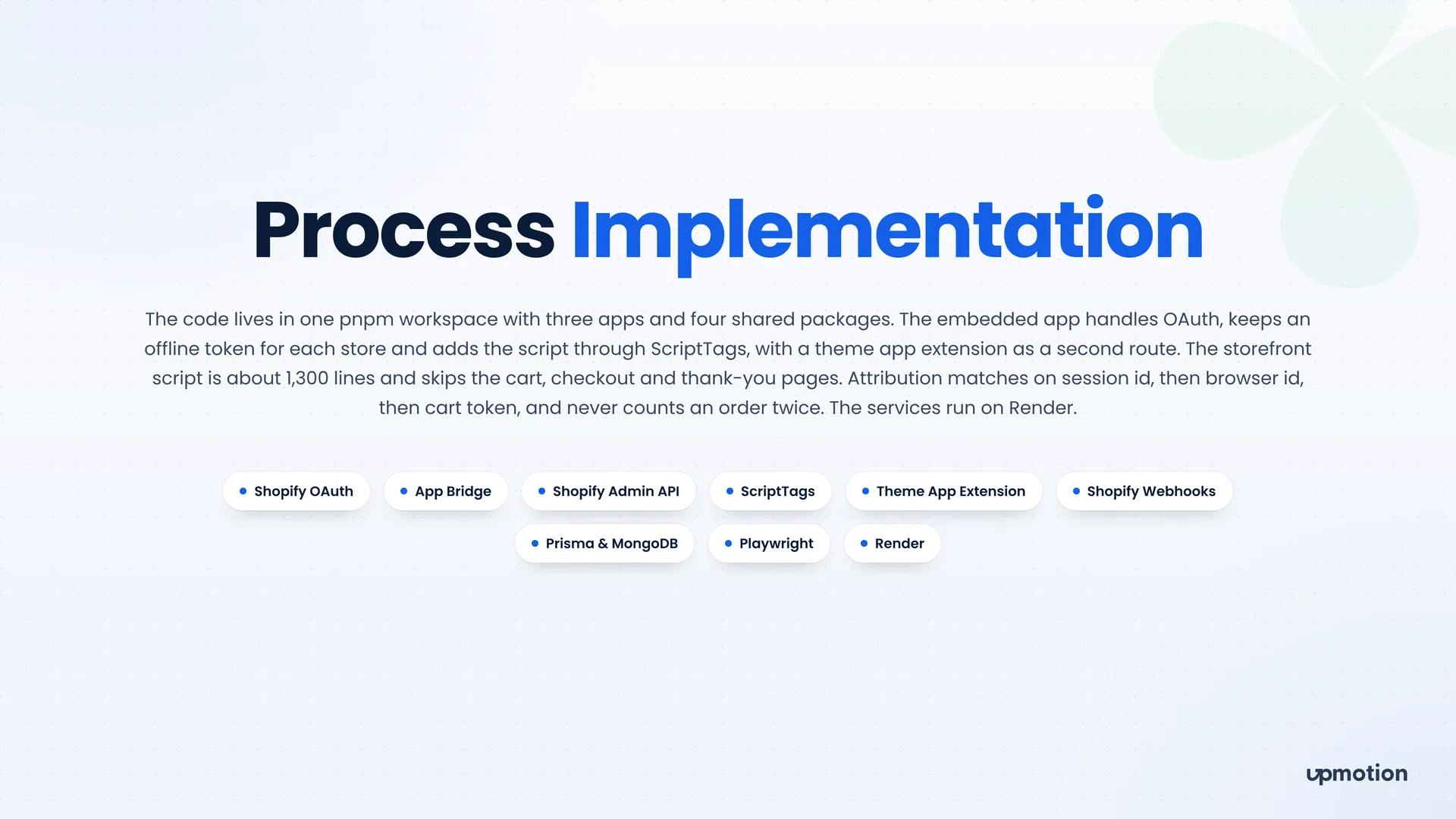
The embedded app handles OAuth, keeps an offline token for each store, and adds the script through ScriptTags, with a theme app extension as a second route. Merchants never touch theme code.
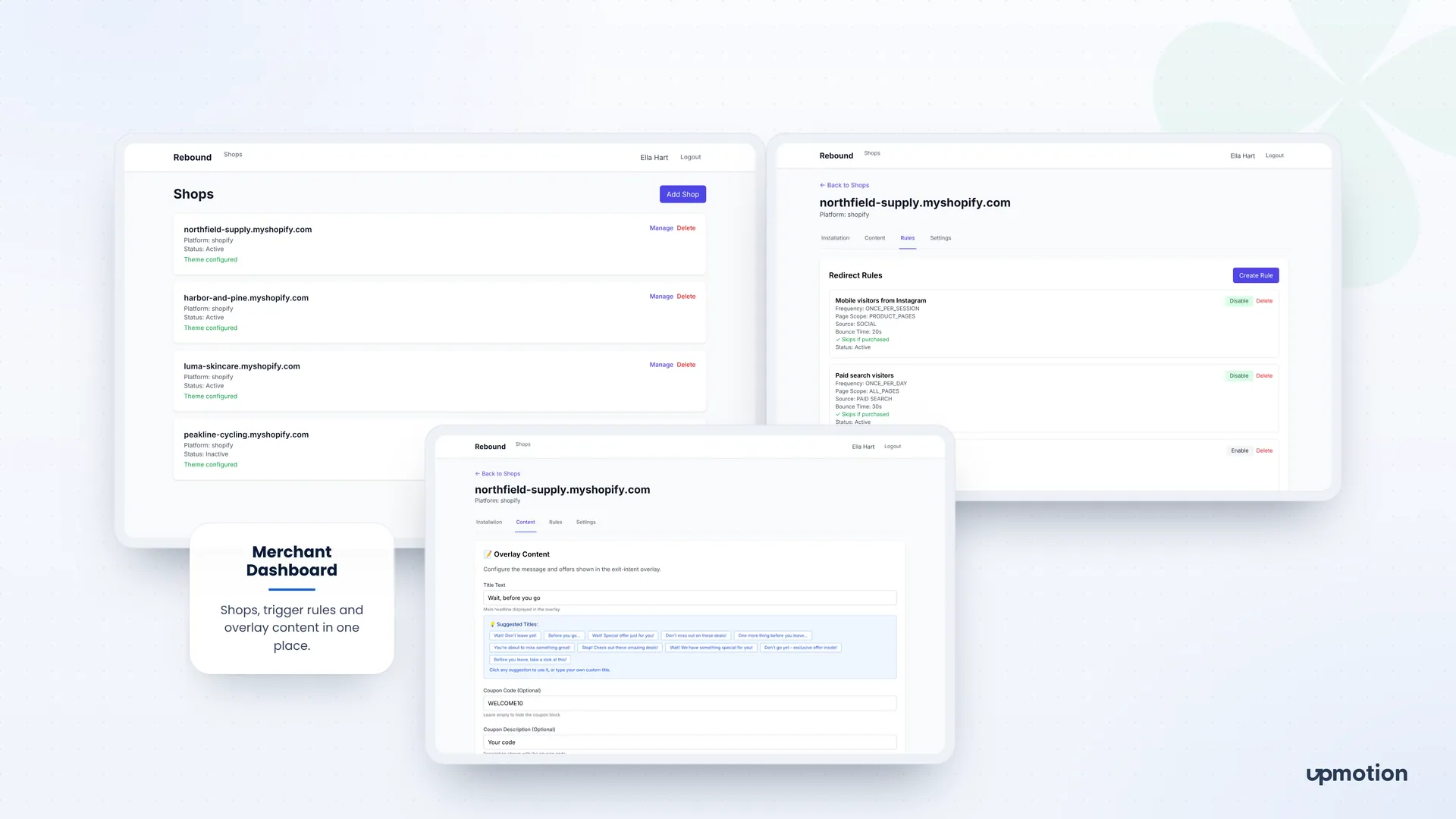
Overview, Settings and Analytics tabs run inside the Shopify admin. Merchants can see system status, toggle exit-intent logic, set page depth, edit the heading and subtitle, and repair the installation.
Merchants create rules by traffic source, page scope, frequency and bounce time, such as mobile visitors from Instagram once per session. Rules can skip shoppers who already purchased.
Merchants set the title text, pick from suggested titles, and add an optional coupon code and description. The offer matches each store's own voice.
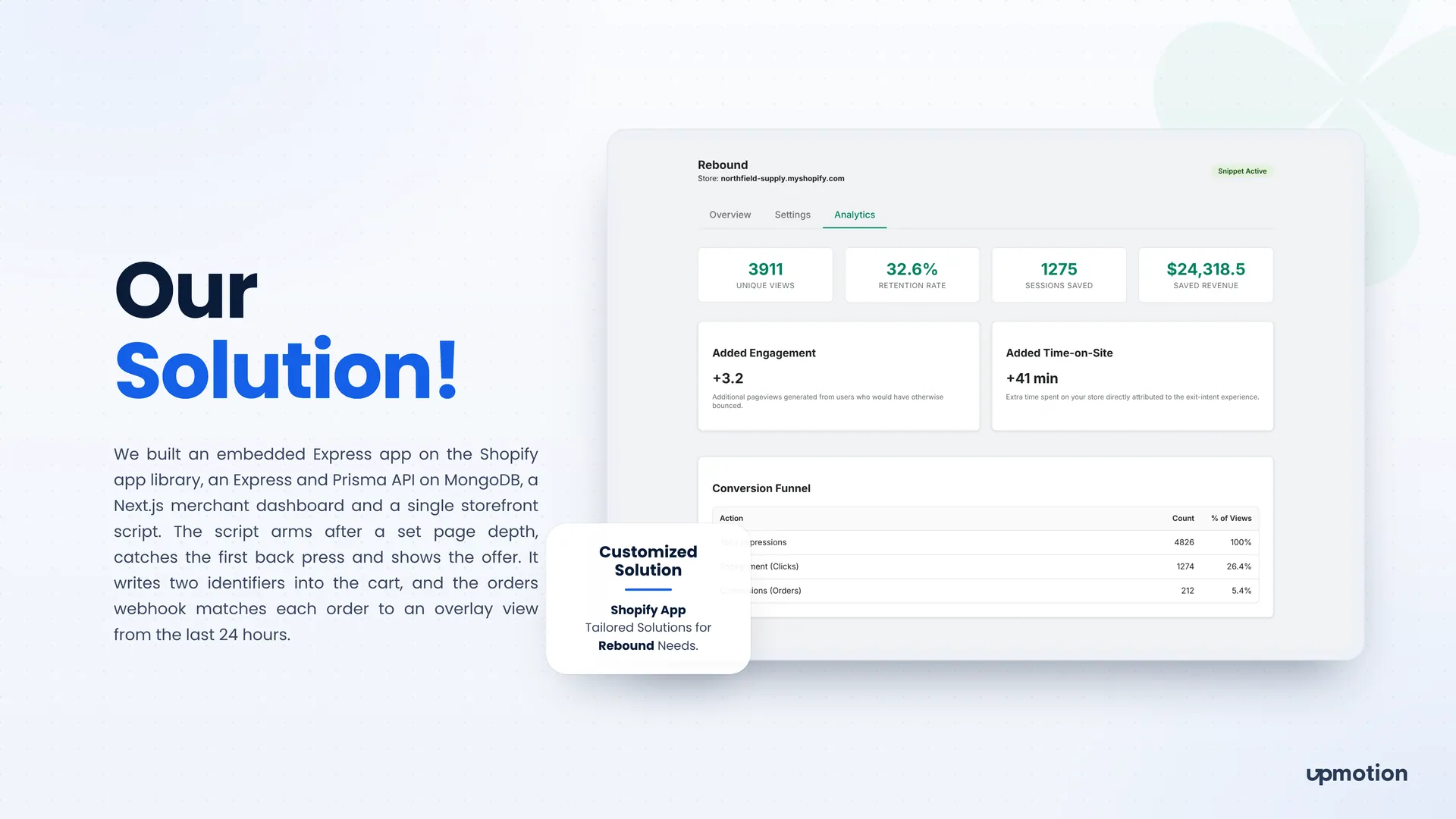
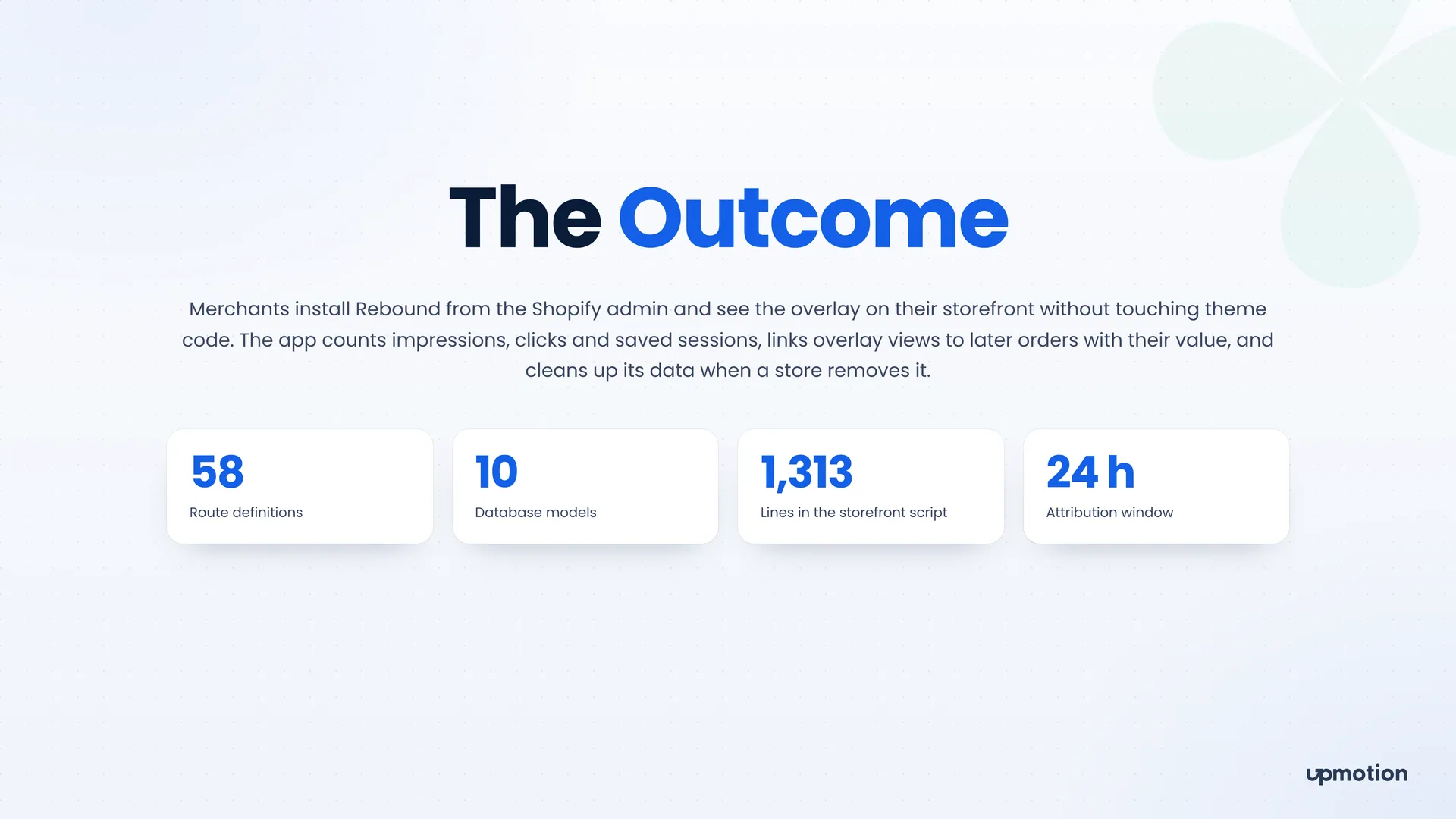
The script writes two identifiers into the cart, and the orders webhook matches each order to an overlay view from the last 24 hours by session id, then browser id, then cart token. No order is counted twice.
A Next.js merchant dashboard lists every connected shop with its status and theme setup, so one account can manage several stores.
04 The results
Merchants install Rebound from the Shopify admin and see the overlay on their storefront without touching theme code.
Personal brand platform
A personal brand website and content hub for an entrepreneur, with a private dashboard where a small team publishes posts, runs the newsletter and answers messages.
Platforms: Website, Admin Dashboard
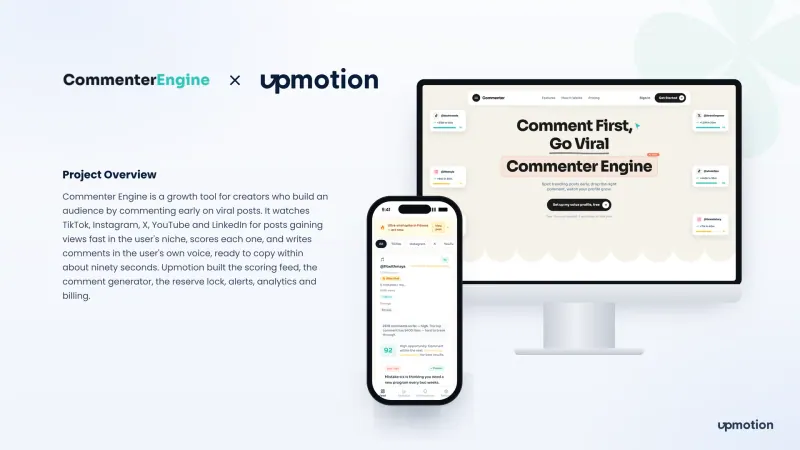
AI creator growth SaaS
Commenter Engine is an AI comment generator for creators. It finds posts going viral in your niche, scores each one and writes comments in your own voice.
Platforms: Web App, Website
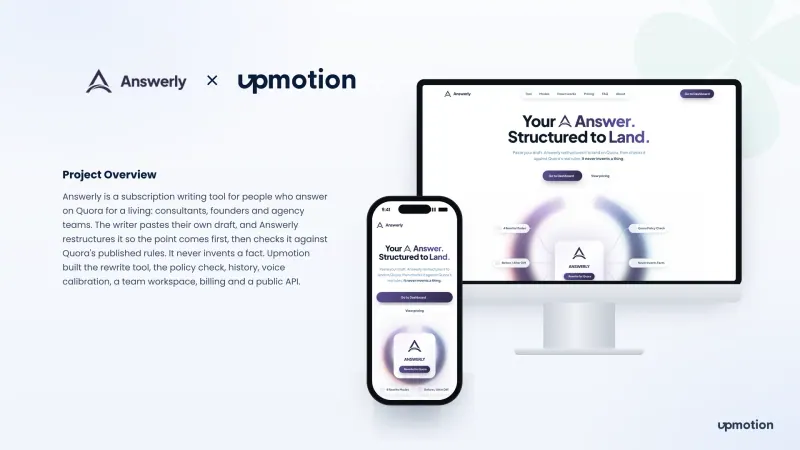
AI writing SaaS
Answerly is an AI writing SaaS that restructures Quora answers for consultants, founders and agencies, then checks them against Quora's rules without inventing facts.
Platforms: Web App, Website, Public API